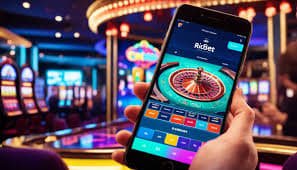
Mobile App — Android & iOS

Download sxs6 App —
Casino & Sports
In Your Pocket

Take the full sxs6 experience wherever you go. Live Casino, Sports Betting, Slots, PSL odds, and seamless PKR deposits and withdrawals — all packed into one smooth mobile app built for Pakistani players.

4.8 App Rating
500K+ Downloads
SSL Secured
sxs6
500K+ Total Downloads
4.8★ User Rating
24/7 Live Support
PKR Local Currency

Choose Your Platform

sxs6 is available on Android, iOS, and directly through your mobile browser. All three options give you the full feature set — pick whatever suits your device.

iOS App

iPhone and iPad users can add the sxs6 web app to their home screen in seconds for a near-native experience, or download via the dedicated iOS link available after login.

Version Latest
File Size ~38 MB
OS Required iOS 13+
Languages English
Currency PKR
Get for iOS

Mobile Browser

No download at all? Not a problem. The sxs6 mobile site is fully optimised for Chrome and Safari on any smartphone. Open it, log in, and start playing instantly.

Install Needed None
Storage Used 0 MB
Browsers Chrome, Safari
Languages English
Currency PKR
Play in Browser
sxs6

What You Get in the sxs6 App

The mobile app isn't a stripped-down version — it's the complete sxs6 platform, optimised for touch and designed to run smoothly even on mid-range Pakistani smartphones.

Cricket & PSL Betting

Follow Pakistan Super League matches, T20 internationals, and Test series with live odds updated ball by ball. Place bets mid-match directly from your phone screen.

Live Casino Streaming

Connect to real dealers for Roulette, Baccarat, and Blackjack through smooth live video streams. The sxs6 app handles the stream without buffering on a standard 4G connection.

Slots & Casino Games

Hundreds of slots, table games, and crash games all available in the app. Filter by provider, category, or popularity to find what you want quickly without scrolling endlessly.

JazzCash & Easypaisa

Deposit and withdraw in PKR directly through the app using JazzCash, Easypaisa, Raast, or bank transfer. No desktop needed — the full payment flow works on mobile.

Push Notifications

Get real-time alerts for match starts, odds changes on your favourite games, bonus offers, and withdrawal confirmations — all straight to your phone without opening the app.

Biometric Login

Log in to your sxs6 account with fingerprint or face ID instead of typing your password every time. Quick access without compromising account security.

Fast Load Times

The sxs6 app is built light. Games load fast, pages transition without lag, and the interface stays responsive even when your connection isn't at its best.

In-App Live Chat

The 24/7 support live chat is built right into the app. No switching to a browser tab — get help with deposits, withdrawals, or game questions without leaving the platform.

Exclusive App Promotions

App users at sxs6 occasionally get access to offers not listed on the desktop site — reload bonuses, free spins, and cashback deals pushed directly to your notifications.

How to Install the Android App

Installing the sxs6 Android app takes about 60 seconds. Because it's an APK rather than a Play Store download, there's one small setting to toggle — everything else is straightforward.

sxs6
01
Allow Unknown Sources

On your Android phone, go to Settings > Security (or Privacy on newer Android versions) and enable "Install from Unknown Sources" or "Allow this source" for your browser. This lets you install APK files downloaded from outside the Play Store. It's a one-time setting.

02
Download the sxs6 APK

Tap the Download APK button on this page. Your browser will download the sxs6 APK file directly to your phone's storage. The file is around 42 MB so it downloads quickly on a standard mobile data connection in Pakistan.

03
Open the Downloaded File

Once the download finishes, you'll see a notification in your status bar. Tap it to open the APK file, or navigate to your Downloads folder and tap the file there. Your phone will launch the installer.

04
Tap Install

The Android installer will show you the app details and ask for permission to install. Tap Install and wait a few seconds while the app sets itself up. No additional configuration is needed during this step.

05
Open sxs6 and Log In

Once installation is complete, tap Open or find the sxs6 icon on your home screen. Log in with your existing account credentials or register a new account if you're new to the platform. You're ready to play.

Android vs iOS vs Browser

A side-by-side look at how each platform version of sxs6 compares so you can pick the right one for your device and preference.

Feature Android App iOS App Mobile Browser
Download Required APK Install App Install None
Push Notifications
Biometric Login
Live Casino
Sports Betting
JazzCash / Easypaisa
Slots & Casino Games
Storage Required ~42 MB ~38 MB 0 MB
App Exclusive Bonuses
Offline Access Partial Partial
sxs6

sxs6 Mobile App — The Full Picture

Most Pakistani players spend the majority of their time on a mobile phone rather than a desktop or laptop. That's simply how things are — the phone is the primary screen for everything from messaging to watching cricket highlights to managing finances through JazzCash and Easypaisa. sxs6 was built with that in mind. The mobile app isn't an afterthought or a reduced version of the main site — it's the version that gets the most attention and testing, because it's the one most people actually use.

The sxs6 app is available for Android as a direct APK download and for iOS either through a dedicated download link or as a home screen web app. There's also the option to simply use the mobile browser version if you'd rather not install anything at all. All three options give you access to every feature on the platform — Live Casino, Sports Betting, Slots, Casino games, promotions, withdrawals, and customer support.

Why Android Uses an APK Instead of the Play Store

You might wonder why the sxs6 Android app is an APK download rather than something you find in Google Play. The short answer is that gambling and real-money gaming apps face restrictions on major app store platforms, regardless of how legitimate the platform is. Rather than going through a slow and uncertain approval process that could leave Android users without a proper app experience, sxs6 hosts the APK directly on the site so players can get it immediately.

This is completely standard practice across the online gaming industry. The APK is the exact same format as any other Android app — it's just downloaded from a different source. The only extra step involved is enabling "Install from Unknown Sources" in your phone settings, which takes about ten seconds to do and can be turned back off afterwards if you prefer. The app itself installs and runs exactly like any other app on your phone once that step is done.

Setting Up the iOS Version

For iPhone and iPad users, sxs6 works excellently through Safari as a Progressive Web App. After logging in through Safari, you can use the Share button and select "Add to Home Screen" to create an app-like shortcut directly on your home screen. When launched from there, it opens in full-screen mode without browser toolbars — the experience feels essentially identical to a native app.

If a dedicated iOS download becomes available through alternative channels, sxs6 will list it directly in your account area once you're logged in. Either way, iOS users get the full platform experience including live casino streaming, PSL and cricket betting, PKR transactions through Easypaisa and JazzCash, and all the same promotions as desktop users.

Performance on Pakistani Mobile Networks

One thing that genuinely sets the sxs6 app apart is how it handles variable network conditions. In Pakistan, mobile data speeds can vary quite a bit depending on whether you're on 4G in a major city or on a slower connection in a smaller town. The app is designed to load quickly and stay functional even on 3G speeds. Games use adaptive loading, meaning they don't try to push full-resolution assets if your connection is slower — they scale down gracefully so the game still runs without dropping out.

Live casino streams are optimised similarly. The video quality adjusts automatically based on your connection speed, meaning you stay connected to the dealer feed rather than getting a buffering screen. For cricket betting, the real-time odds updates are handled efficiently without hammering your data usage — useful when you're following a PSL match on mobile data while travelling.

Payments in the App

Every payment method available on the sxs6 desktop site works identically in the mobile app. JazzCash and Easypaisa deposits and withdrawals are handled through a clean, simple interface — enter the amount, confirm your mobile number, and the transaction is initiated. Raast transfers, bank transfers, and card payments are all accessible through the same Wallet section in the app.

For players in Pakistan, having JazzCash and Easypaisa built directly into the app is genuinely useful. You don't need to switch between apps or copy-paste details — the payment confirmation stays within the sxs6 app flow, making the whole deposit process much cleaner than on platforms that handle mobile payments as an afterthought.

Cricket, PSL, and Sports on Mobile

The sports section of the sxs6 app is built with cricket at the front. During Pakistan Super League season, the app shows live match scorecards, updated odds, and in-play betting markets all in one view. The interface on mobile is actually better than on desktop for following a match while betting — everything is within thumb reach and updates happen in real time without needing a page refresh.

Beyond cricket, the sxs6 app covers football, tennis, basketball, and esports. Pakistani users who follow international football can follow Premier League, Champions League, and major tournament odds directly through the sports section. The esports markets include CS2, Dota 2, and League of Legends for players who prefer that side of things. All of this is available through the same app as cricket — you don't need separate accounts or sections.

App Security

Security in the sxs6 app is handled through the same SSL encryption used on the desktop platform. Your login credentials and transaction details are encrypted in transit. The app also supports biometric authentication — if your phone has fingerprint or face unlock set up, you can use it to log in to sxs6 instead of entering your password manually every time. This makes access quick while keeping the account protected against unauthorised use.

Your account session in the app is tied to your verified identity on the platform. All the same verification and responsible gaming controls available on desktop are accessible through the app settings. If you want to set a deposit limit, take a cooling-off period, or access the self-exclusion options, those features are there in the app alongside everything else.

Keeping the App Updated

The sxs6 app receives regular updates that bring performance improvements, new game integrations, and occasional new features. For Android APK users, the app will notify you within the app when a new version is available — you download and install the updated APK the same way you installed the original. The process is quick and your account data and settings are preserved through updates.

iOS users on the web app version get updates automatically since the platform updates server-side — no action needed on your end. If you're using the dedicated iOS download when it's available, update notifications will appear within the app just as they do on Android.

Who Should Download the App

If you play on sxs6 regularly — whether that's daily slots, in-play cricket betting during PSL, or regular live casino sessions — the app is the right choice over the browser. The experience is more consistent, push notifications keep you informed about match starts and bonus offers, and biometric login means getting into your account is instant. The app is also better at handling connections that drop and reconnect, which happens more on mobile than on fixed broadband.

If you're a casual or occasional player who doesn't want to install anything, the mobile browser version is perfectly capable and covers everything the app does except push notifications and biometric login. Either way, sxs6 on a Pakistani smartphone works well — the platform has been built and tested specifically for the devices and connection types most commonly used here.


Download FAQ

Common questions about installing and using the sxs6 mobile app.

Yes. The sxs6 APK is the official app file hosted directly on the platform's own server. It goes through regular security checks before being made available for download. Downloading APKs from outside the Play Store is standard practice for real-money gaming apps in Pakistan and across the region — the only requirement is allowing your phone to install from unknown sources during the setup process, which you can disable again afterwards. Never download the sxs6 APK from a third-party site or link you weren't given directly by the platform.

Real-money gaming apps face restrictions on both Google Play and the Apple App Store that vary by region. Rather than deal with a lengthy and uncertain approval process that could leave players without a native app, sxs6 distributes the Android APK directly from the site and provides iOS players with a home screen web app or a dedicated download link through their account. This is how the majority of online gaming platforms operate globally and it doesn't affect the app's quality or functionality.

The sxs6 Android app requires Android 6.0 or higher, which covers the large majority of Android phones currently in use in Pakistan — including many mid-range and budget devices. If your phone runs Android 6.0 or above and has at least 1 GB of RAM, the app should install and run without issues. For very old or low-spec devices that struggle with the app, the mobile browser version is a lighter alternative that works on essentially any smartphone with a modern browser.

Open Safari on your iPhone and navigate to sxs6.win. Log in to your account. Then tap the Share button at the bottom of the screen — it looks like a square with an arrow pointing upward. From the share menu that appears, scroll down and tap "Add to Home Screen." Give it a name if you like, then tap "Add" in the top right corner. The sxs6 icon will now appear on your home screen and when you launch it from there, it opens in full-screen mode without the Safari address bar, giving you a clean app-like experience.

Data usage depends on what you're doing in the app. Slots and casino games use a moderate amount of data, roughly comparable to streaming a YouTube video at medium quality. Live casino streams use more since they involve live video, but the stream quality adjusts to your connection speed automatically to avoid excessive data use on slower connections. Sports betting uses the least data — it's mostly text and numbers. If you're on a limited mobile data plan, the sports section and slots will be more data-friendly than extended live casino sessions.

Yes. Your sxs6 account is tied to your registered details, not to a specific device. You can log in on your Android phone, your iPhone, your tablet, and your desktop browser using the same credentials. Your balance, transaction history, promotions, and settings all sync across devices automatically. There's no separate account needed for the app versus the website — it's all one account regardless of which platform you access it from.
Play Responsibly

The sxs6 app is for adults aged 18 and over. Set a clear budget before you deposit and stick to it. Gaming should be entertainment, not a way to chase losses or earn income. If you feel your habits are becoming hard to manage, visit our Responsible Gaming page for self-management tools and guidance.